Billing & Invoicing

Let your schedule build your invoices, or build them yourself. Either way, every line item is accurate, every client gets a clear invoice, and no work goes unbilled.

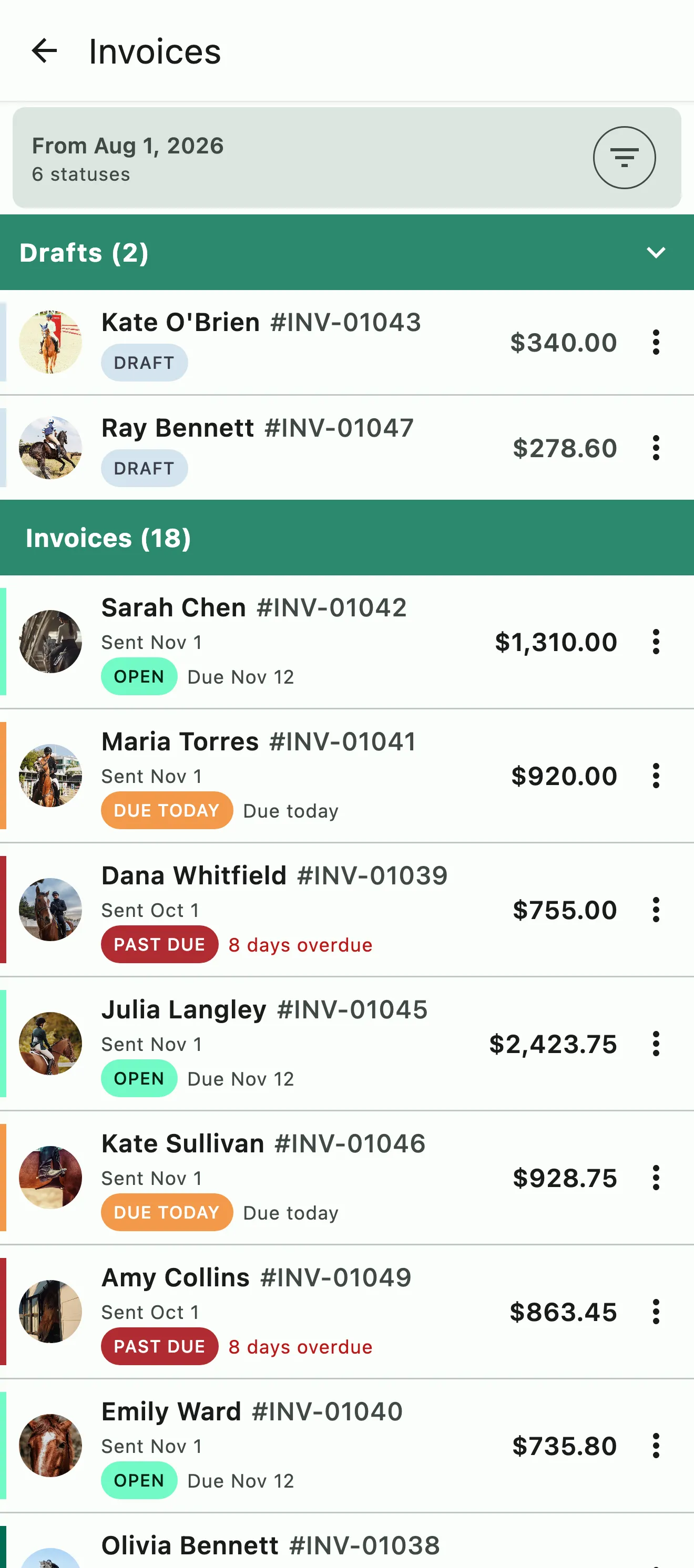
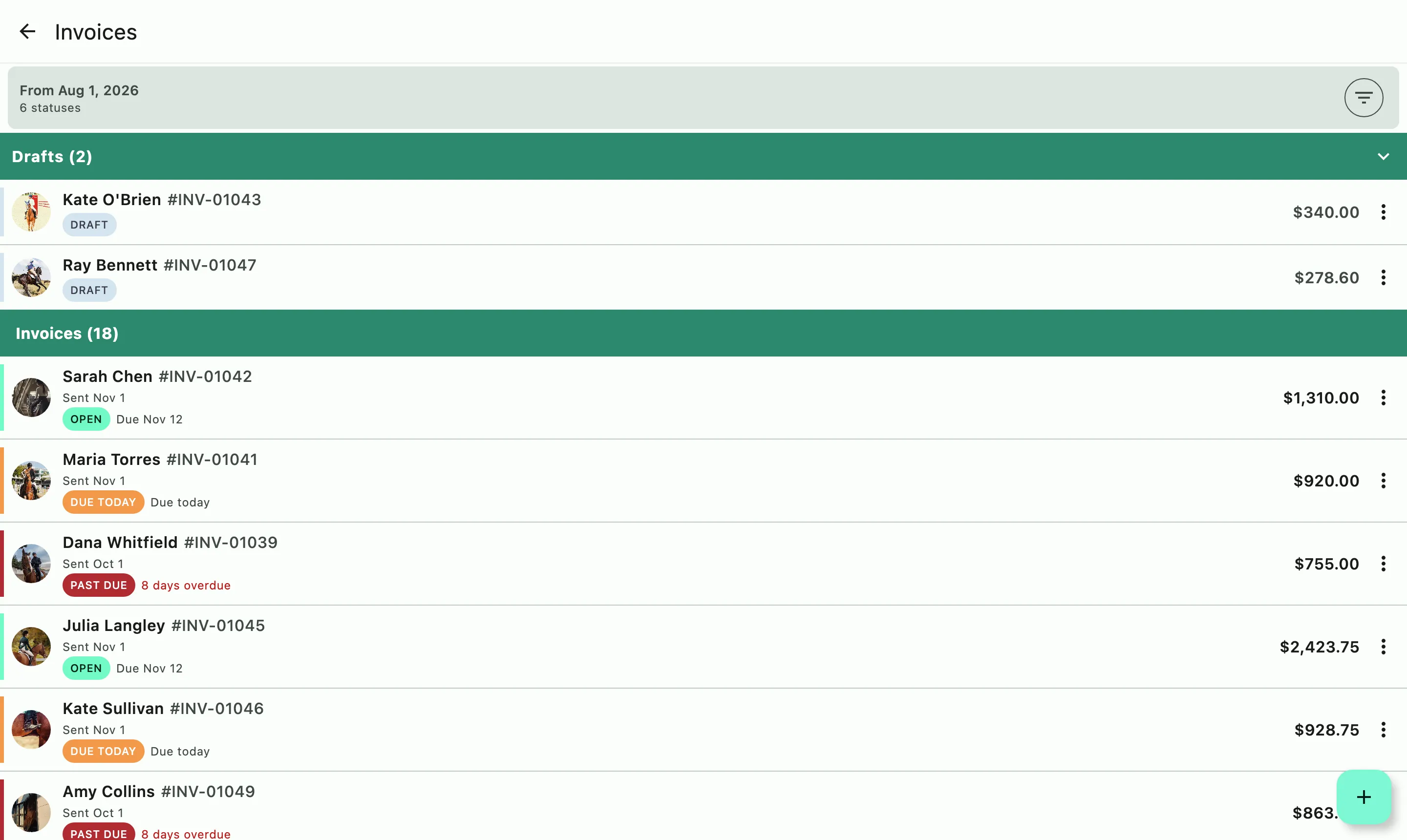
The Invoices screen: drafts pinned for review above open, due today, and past-due invoices

How it works

Three ways to build an invoice. Combine them into one invoice or send separately.

From the schedule

Charges accrue as events finalize

Each lesson, training ride, school horse fee, and add-on becomes a charge as soon as its event is completed and finalized. Bookings covered by package credits appear as $0.00 lines that show the event details and which credit was used. Board, packages, and subscriptions renew onto the same draft.

Manually

Add what you need, when you need it

Add line items to any draft, or create a standalone invoice for a one-off. Mark each line as a charge or a reimbursement so your taxes stay accurate. No schedule required.

Group Billing

Enter the line item once, bill it to the whole group

Create a billing group and add the charge to the whole group or selected members of it. Add the entire charge to each person or split it among them by people, horses, or a custom share.

On your billing cycle date the draft converts to an open invoice and goes to the client by app notification and email. You choose the billing day and the billing period.

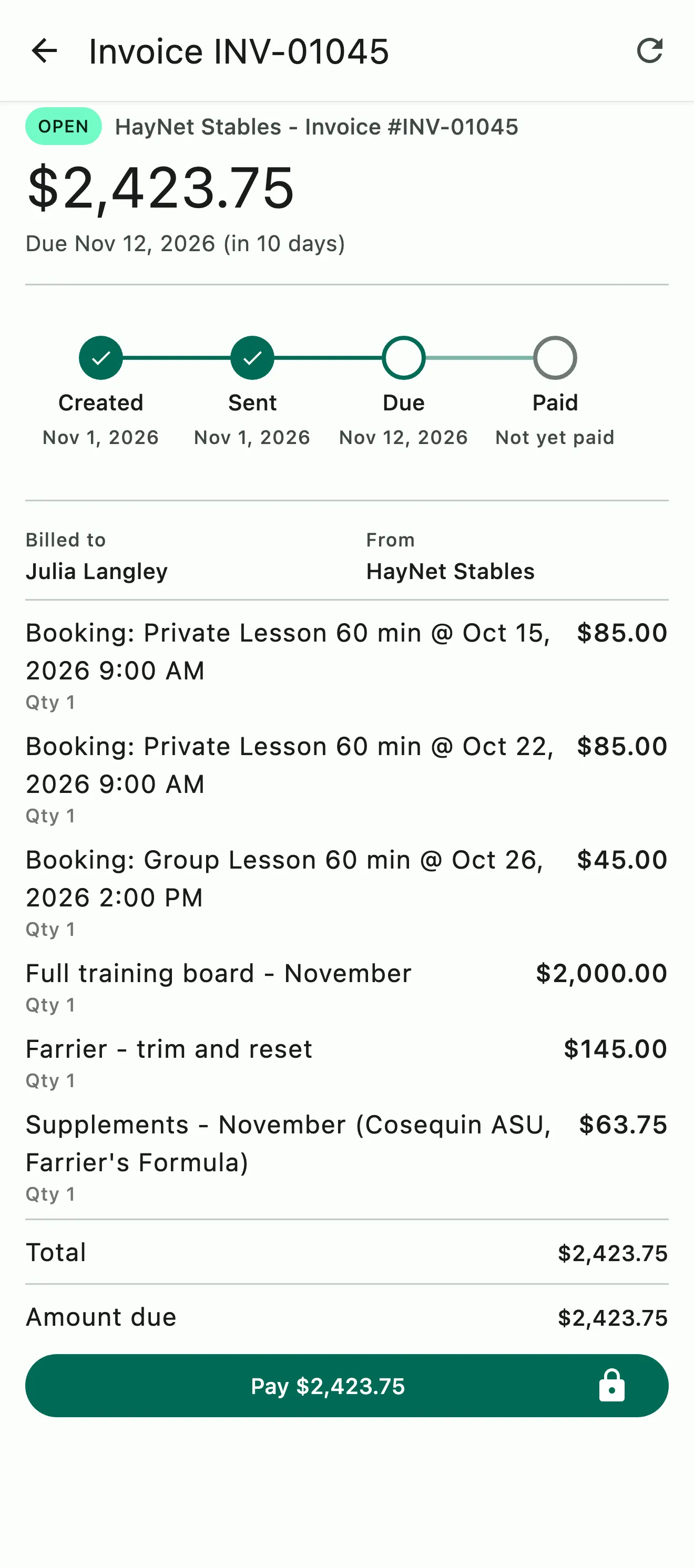
An invoice with each lesson booking on its own line, plus board, farrier work, and supplements

Automatic invoices

Every line item, with the event behind it

Charges accrue from billable events as each event is finalized, and board, packages, and subscriptions are added each time they renew. Every line item clearly states the event, add-on, or product it was for. Package credit bookings appear as $0.00 lines that note which credit was used.

  • Charges accrue from billable events booked on the schedule
  • School horse fees, ad-hoc groom fees, and custom add-ons are applied automatically to applicable events
  • Board, packages and recurring subscription products are added to the invoice upon each renewal
  • Review and adjust the draft before it sends
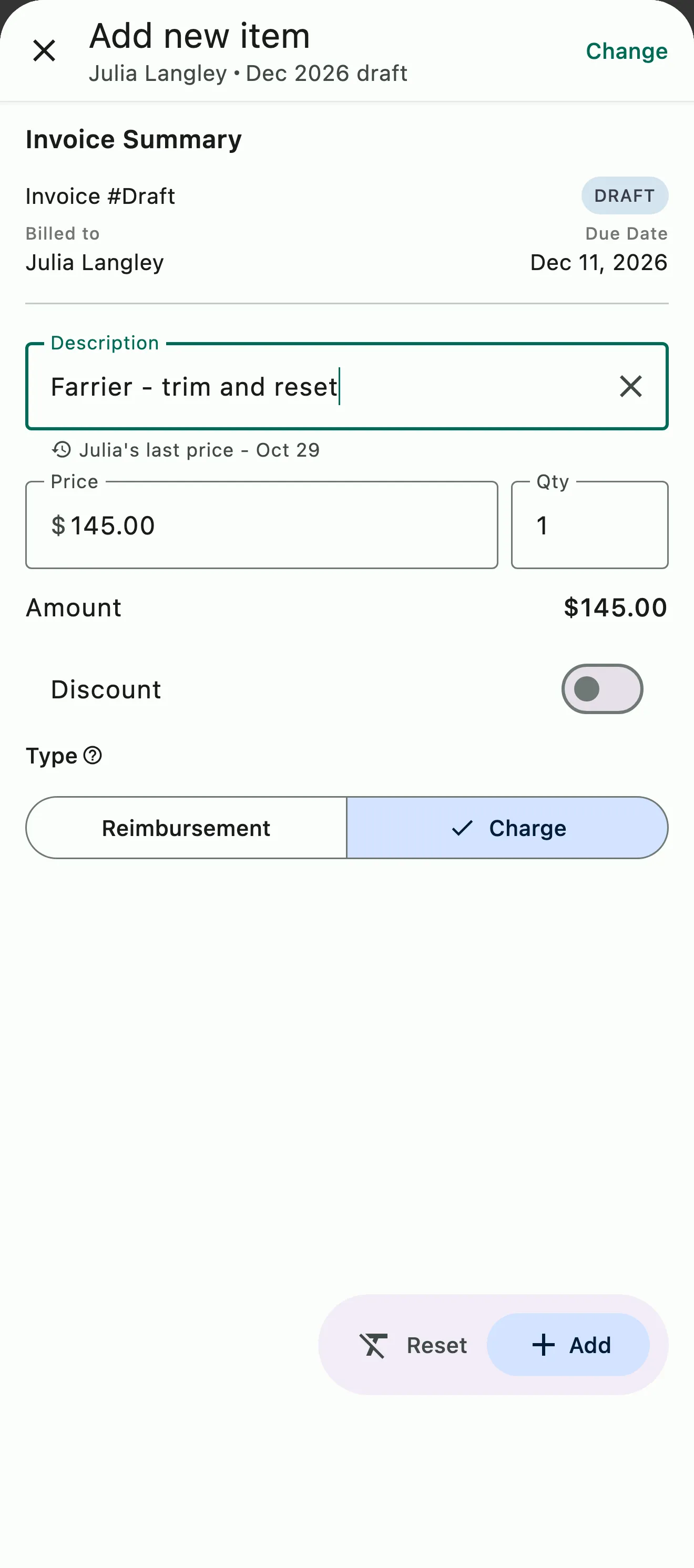
A farrier trim added to a client's draft invoice at their last price, marked as a charge rather than a reimbursement

Manual and one-off

A commission fee, a hauling charge, or a one-time invoice

Add a line to this month's draft or send a standalone invoice today. Charges and reimbursements are tagged separately so pass-through costs never count as income.

  • Create standalone invoices at any time
  • Mark every line item as a charge or reimbursement for accurate accounting
  • Not schedule-based, so invoicing can run without using the automated side of the house
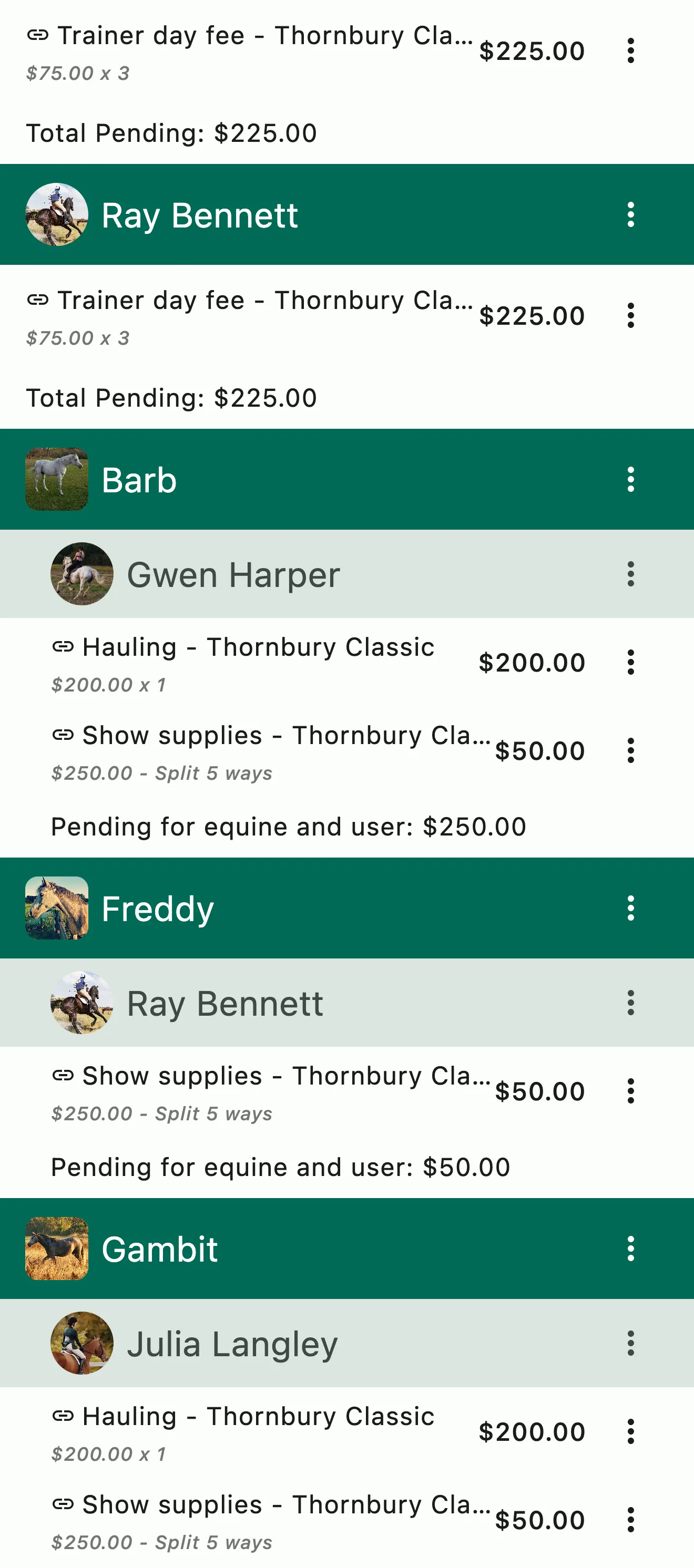
A show's billing group: each rider's trainer day fees, then each horse with the person it bills to, its hauling, and its share of the show supplies

Group/Split/Bulk Billing

Horse show billing has never been so quick and easy

Hauling, groom fees, food and lodging, and training fees can be entered once and billed to everyone accordingly. Bill the same amount to everyone or split the charge among the riders and horses who went, by rider, by horse, or by a custom share. You can choose to add the charges to the client's regular invoice, or send them separately.

  • Add a charge to everyone in the group or selected members of the group. Bill by horse or person
  • Split a charge by person, horse, or custom share. You can even split by horse when multiple people are responsible for the fees
  • Add the charges to your regular invoice billing or send out a separate invoice
  • Bill out the horse show in minutes
More on Group & Split Billing
Invoices with drafts pinned for review above open, due today, and past-due invoices

Late fees, reminders, revisions

Set the policy once. HayNet enforces it.

Choose a fixed amount, a percentage or both. Reminders go out on their own as invoices come due and go past due. Change an invoice after it's sent and the client gets a Revised notice, not a confusing new one. And the platform fee is your call: include it in your pricing, or pass it on as its own line on the invoice.

  • Fixed, percentage or both
  • Due and past-due reminders
  • Platform fee in your pricing or passed on as its own line
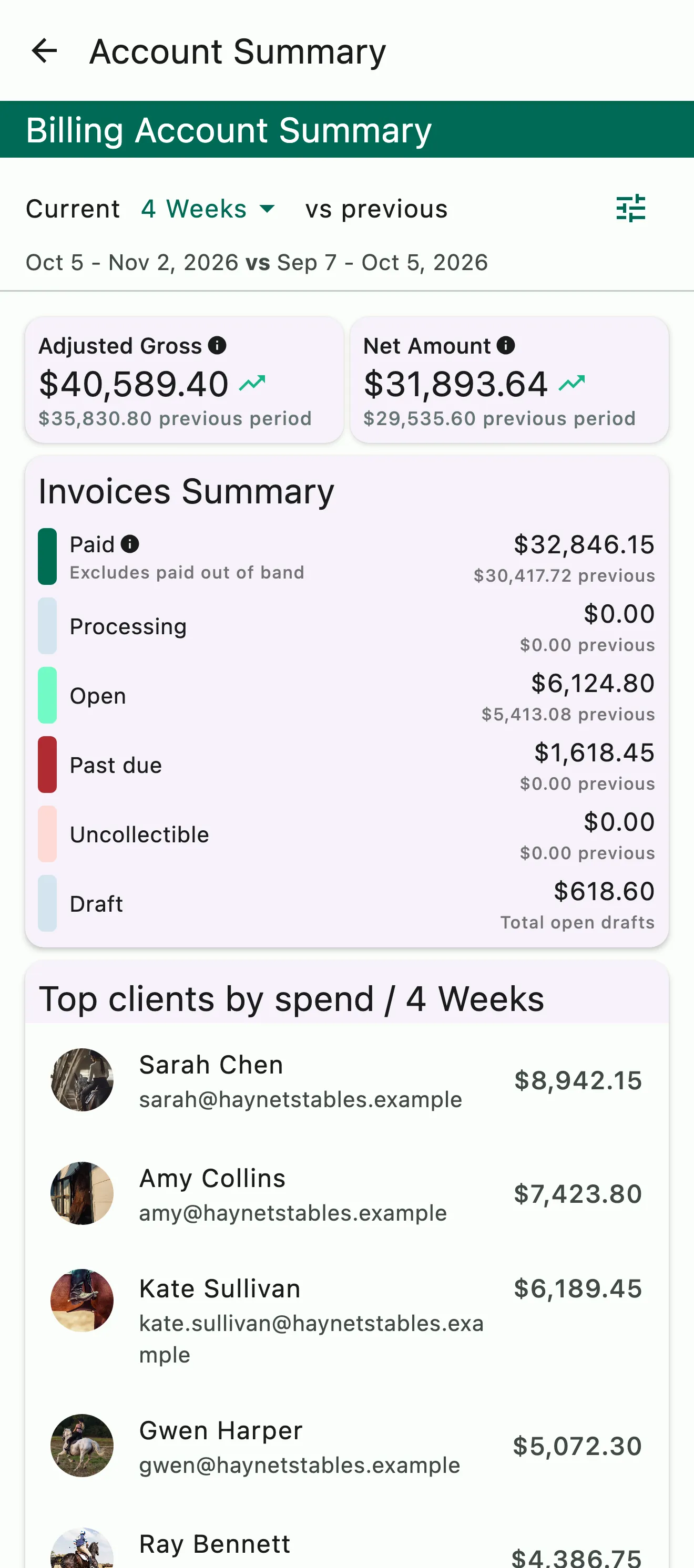
The billing account summary: gross and net for the period, invoices by status, and top clients by spend

Reimbursement tagging

Not every charge is revenue

Stall fees at a show, lodging accommodations, a vet bill you covered: when you pay on a client's behalf and charge it back, that's a reimbursement. Mark it from whichever side you're on: tag the line on the invoice as a reimbursement, or log the expense, choose bill-to-client (coming soon), and the line is added to their draft. Either way it stays out of taxable income across invoices, reports and accounting exports.

  • Reimbursement or charge on any line
  • Or bill the expense to the client from Expenses (coming soon)
  • Reports separate income from cost recovery
  • Carries through to your QuickBooks, Xero, or CSV export

Common questions

About billing

How are automated invoices generated?

From the schedule. Every lesson, training ride, school horse fee, and add-on becomes a charge on the client's draft invoice once the event is completed and finalized, about 48 hours after it ends. Board, prepaid packages, and subscription products renew onto the same draft, and bookings covered by package credits show as zero-dollar lines with the event details.

On your billing day the draft becomes an open invoice and goes to the client by app notification and email. No manual entry required.

Can I add or remove items from an automated invoice?

Yes. Until the draft becomes an open invoice on your billing day, you can review it, add line items by hand, and edit or delete lines that shouldn't be billed. Mark each line you add as a charge or a reimbursement.

To check every invoice before it goes out, turn off Automatically send invoices under Manage › Finances › Billing settings: drafts are still prepared on the billing day, and nothing sends until you send it. Change an invoice after it's sent and the client sees it marked as revised, not as a second invoice.

How do I set my billing cycle date?

Open Manage › Finances › Billing settings. Choose your Default Billing Period, monthly or weekly, and your Default Billing Day, and set how many days clients have to pay under Invoice Due (days).

An Event Product can have its own billing period that overrides the default: edit it under Manage › Event Products and set Override Billing Period.

Does HayNet support late fees on overdue invoices?

Yes. Turn on Charge invoice late fees under Manage › Finances › Billing settings, then set a percentage of the invoice total, a fixed amount, or both, and a grace period in days. Late fees apply on their own, and reminders go out as invoices come due and go past due, so you don't have to chase payments yourself.

What if I need to create a one-off invoice?

Add a line to the client's draft invoice, or create a standalone invoice any time: open Manage › Finances and tap Invoice. Add as many line items as you need, like a clinic fee, a hauling charge or a supplement order, and mark each one as a charge or a reimbursement.

That distinction matters at tax time. A reimbursement, like a vet bill you covered for a client, is a pass-through cost and stays out of your income. No schedule required.

See the full FAQ

Send the first invoice this week.

No card required. Available on Apple iOS, Android and Web.