Prepaid Packages

Get paid for lessons and training before they happen. Clients buy packages of prepaid credits, and HayNet tracks every one for you. Each qualifying booking uses a credit automatically, so there's no more counting or tracking on paper, and every billing cycle generates a fresh set.

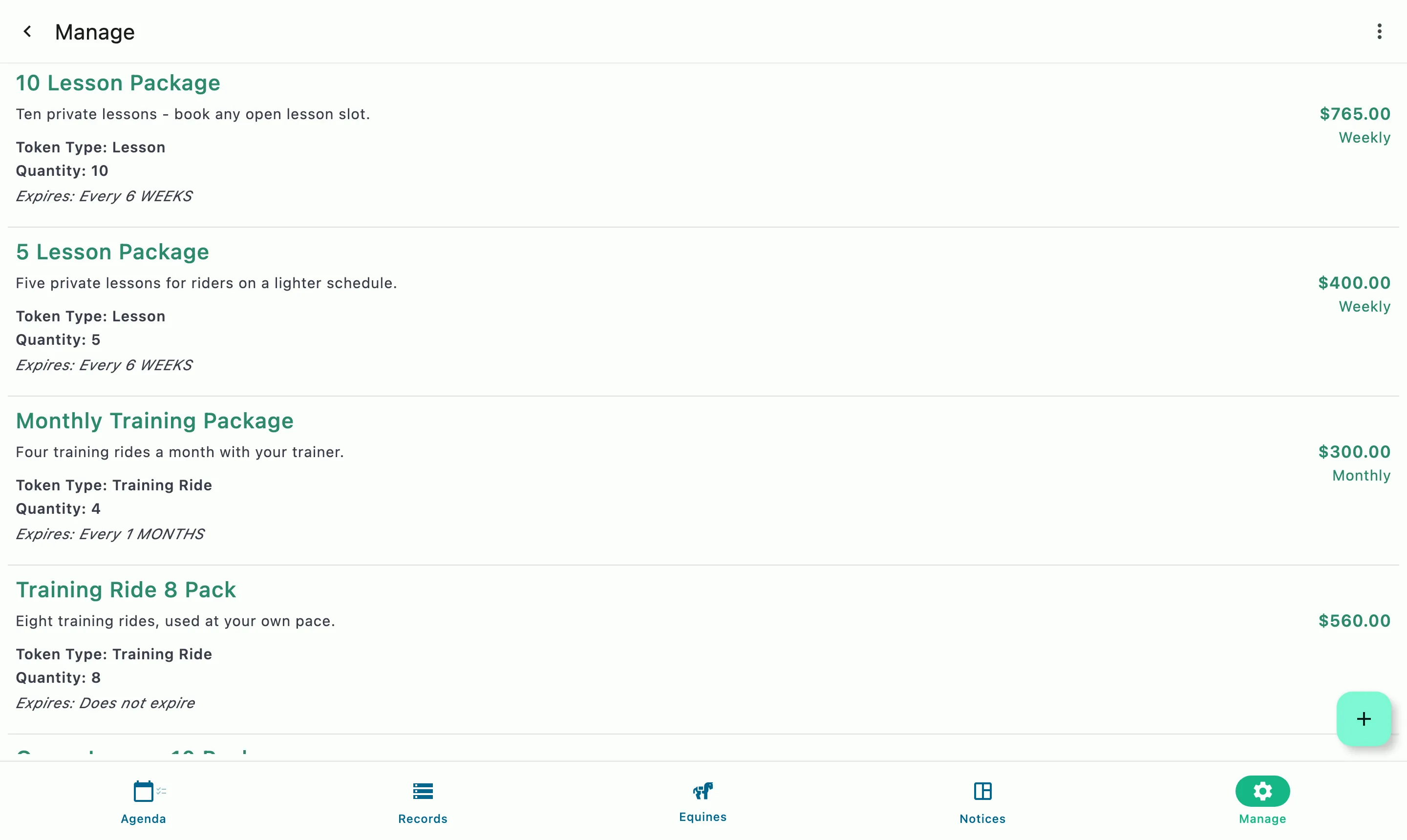
Prepaid lesson and training packages with their token type, quantity, price, and expiry

How it works

Paid up front, counted for you

Set up a package

Each Prepaid Package gives a client a set number of credits of one token type, like Private Lesson or Training Ride, and an optional expiration period tied to the issuing package, not the token type.

Bookings use the credits

Each Event Product can independently accept one or more token types. When a client books an event that accepts a credit that they have, the credit will be used and the activity will appear on their invoice.

When credits run out

The client can still book, and the booking is billed at the service's standard price instead of using a credit.

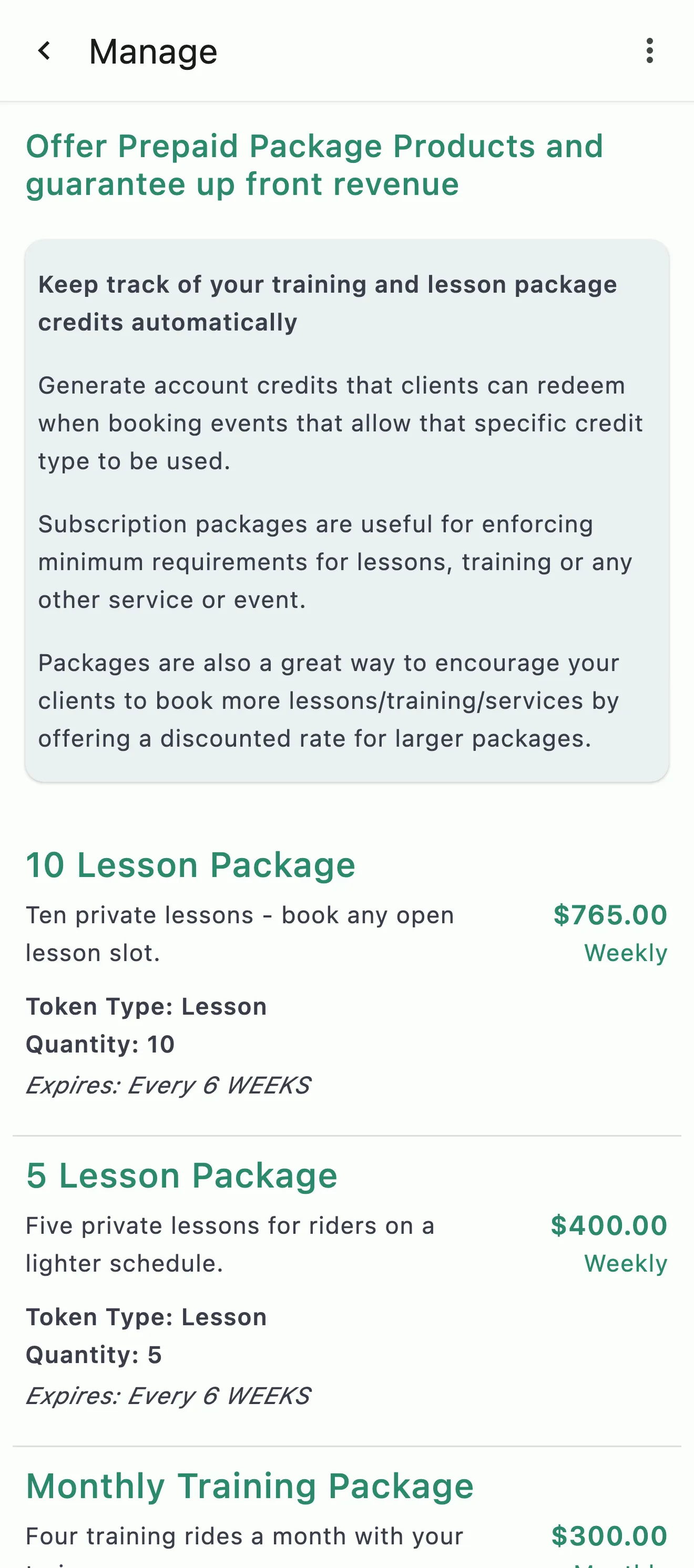
Prepaid lesson packages with what each includes, its token type and quantity, price, and expiry

Paid up front

Predictable revenue before the month starts

A package is paid before the lessons happen, so you know what's coming in and a no-show is already paid for. Offer as many packages as your programs need, such as a 4-pack for casual riders, a 12-pack for regulars, or training packages priced by rides per week. Volume pricing is optional, and packages are a natural way to set a monthly lesson or training minimum for your boarders.

  • Payment before the work, not after
  • As many packages as your programs need
  • A natural way to set monthly minimums
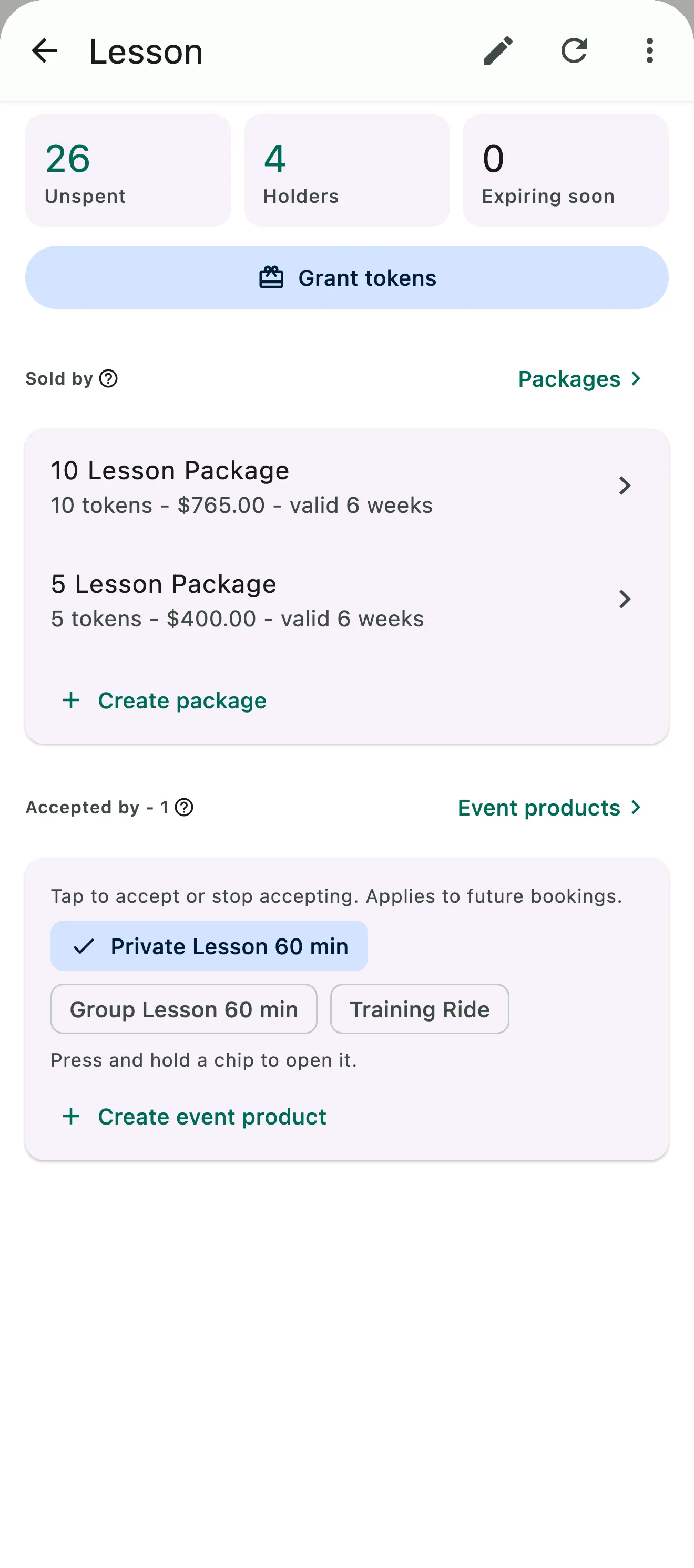
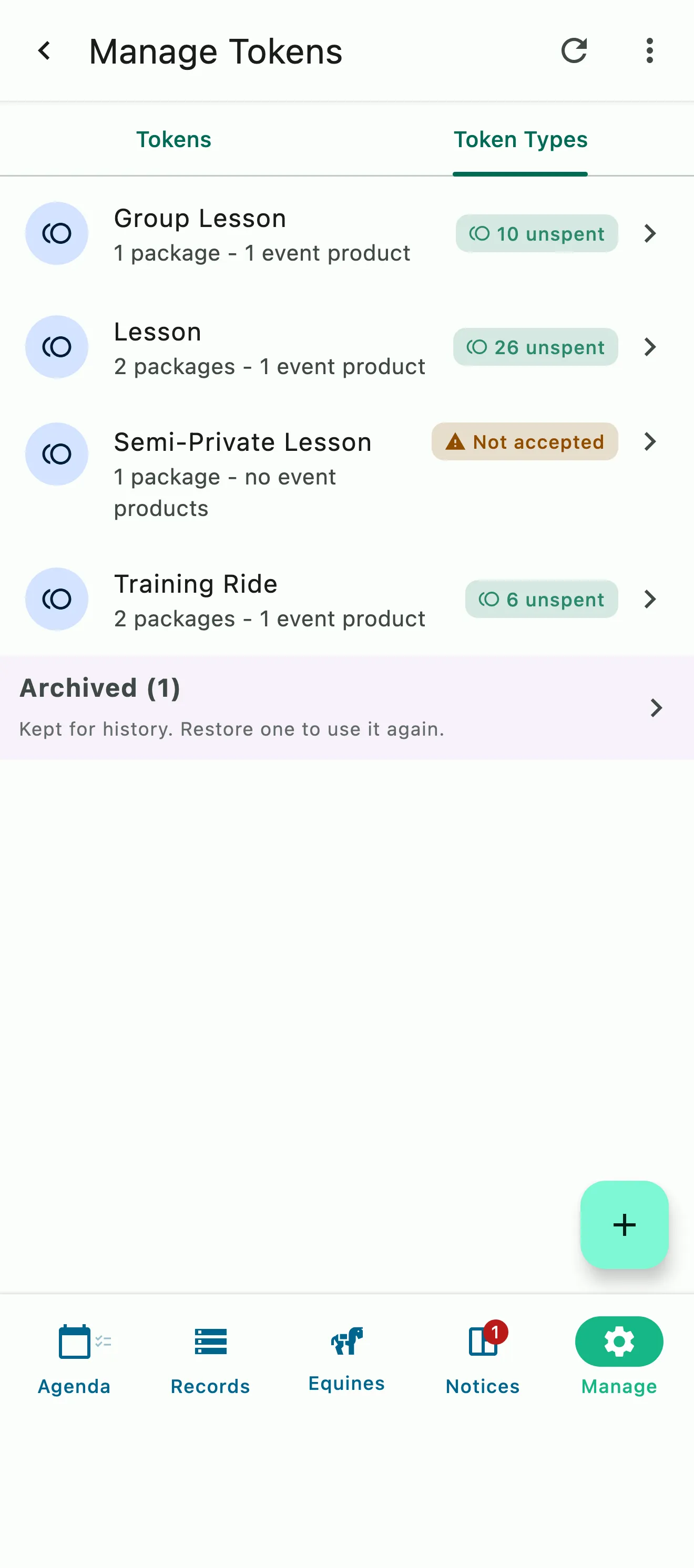
The barn's token types, each with the packages that sell it and the event products that accept it, and one marked Not accepted
One token type with its unspent tokens and holders, the lesson packages that sell it, and the event products that accept it

Token types

The right credit for the right lesson

Token types sort your credits by service. HayNet starts your barn with Private Lesson, Group Lesson, and Training Ride. Rename them to fit your programs or create custom types, like Lunge or Semi-Private Lesson. An event can accept several types, so a Semi-Private Lesson might take Private Lesson and Semi-Private Lesson credits. A used credit shows on the invoice as a $0.00 line with the event name, date, and time.

  • Starter types, plus as many of your own as you need
  • One event can accept several token types
  • Used credits listed on the invoice at $0.00
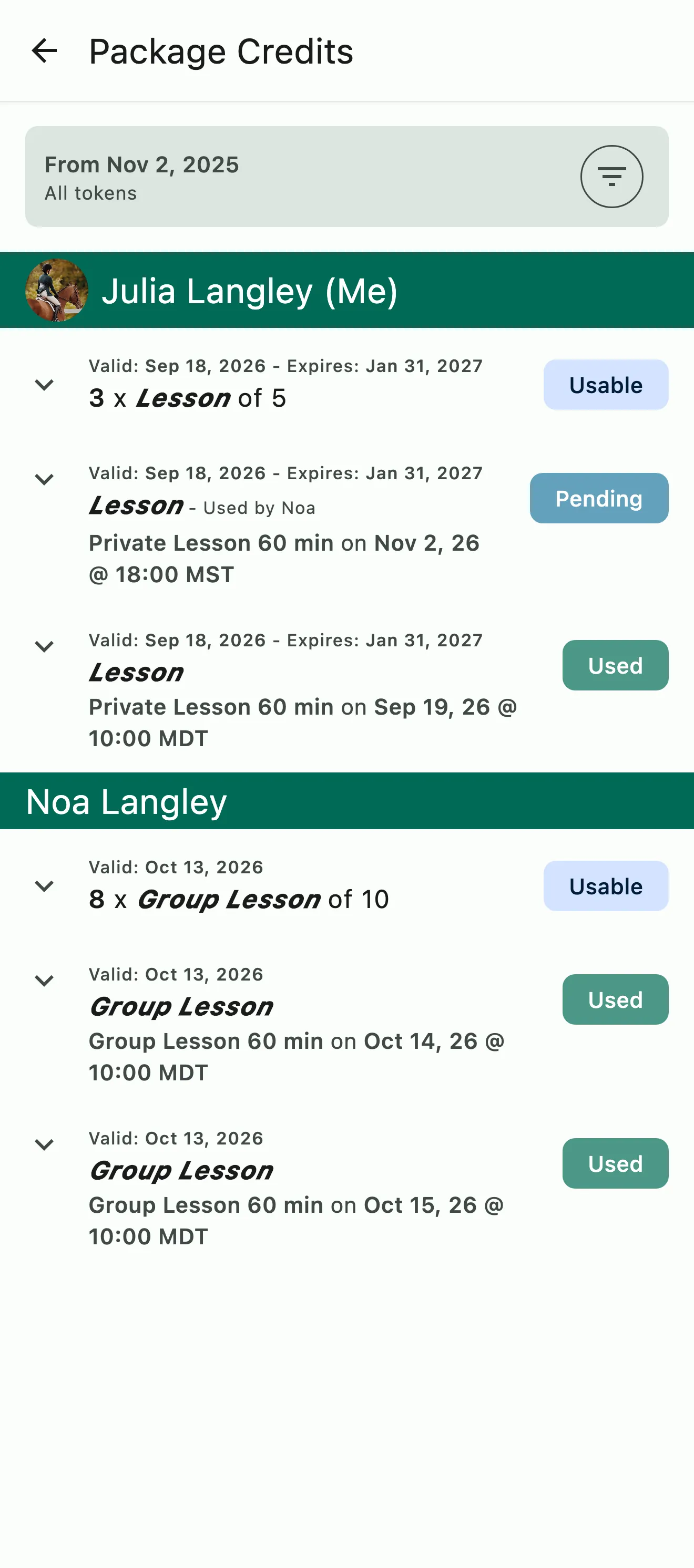
A parent's package credits, including one shared with a family member and booked on today's lesson

Family Token Sharing

One package, every rider in the household

Family Token Sharing is on by default for linked family accounts, so a package one family member buys covers every rider in the household with nothing to set up. Each rider's own credits are used before the family's, and every shared credit shows whose it was and whose booking used it. The barn and each family can turn sharing off if they'd rather not use it.

  • On by default, nothing to set up
  • The barn can switch it off, and so can each family
  • A rider's own credits are used first
  • Every shared credit attributed to the rider who used it
Family Token Sharing in depth
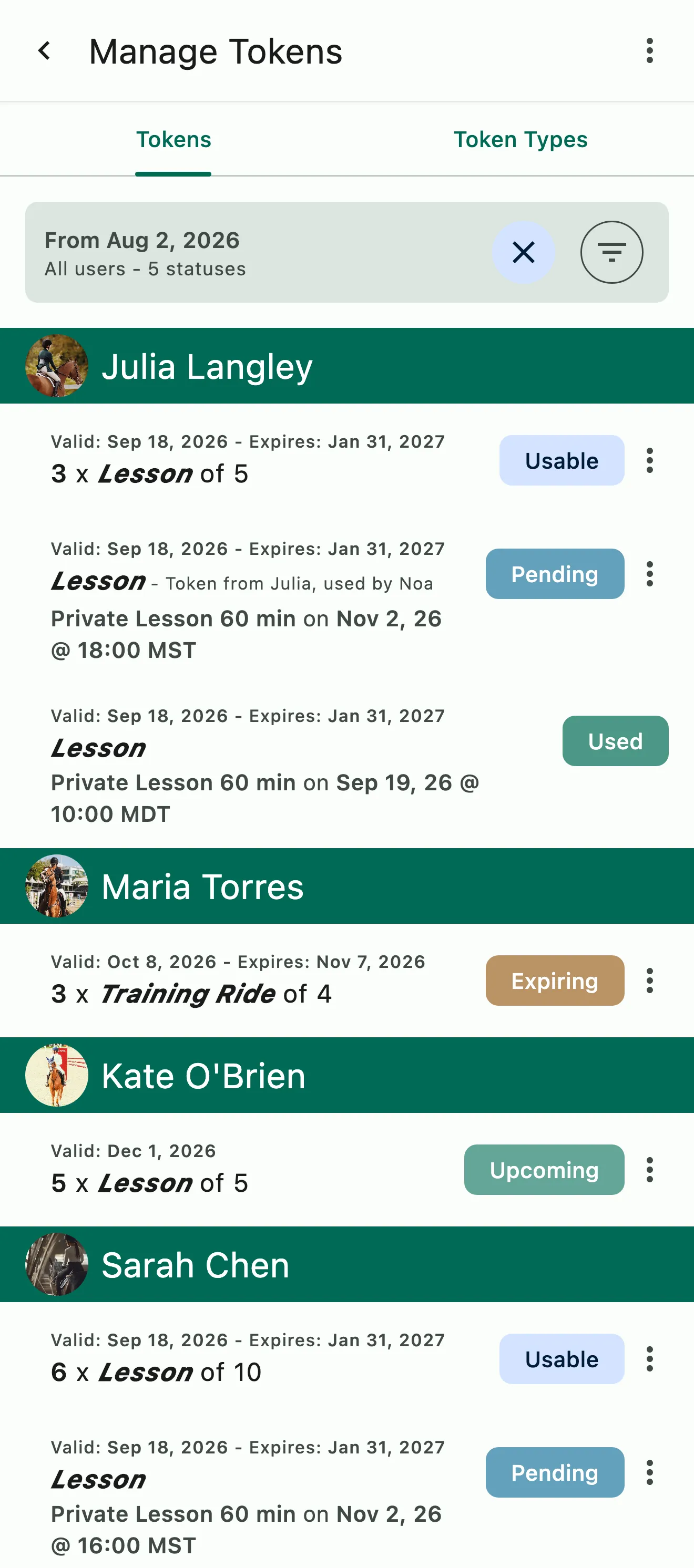
The Token Manager by client: usable, pending, and upcoming credits, including one shared within a family

Credits and balances

Every credit accounted for

The Token Manager shows every client's credits with their status, the package each one came from, and the booking that used it. Clients see their own balance and history in the app. Managers and admins can add credits manually for a make-up lesson, a working student, or a complimentary training ride, and revoke them with a reason when you need to.

  • A Token Manager for managers and admins to review and manage every credit
  • Clients check their own balance in the app
  • Add credits manually, or revoke them with a reason
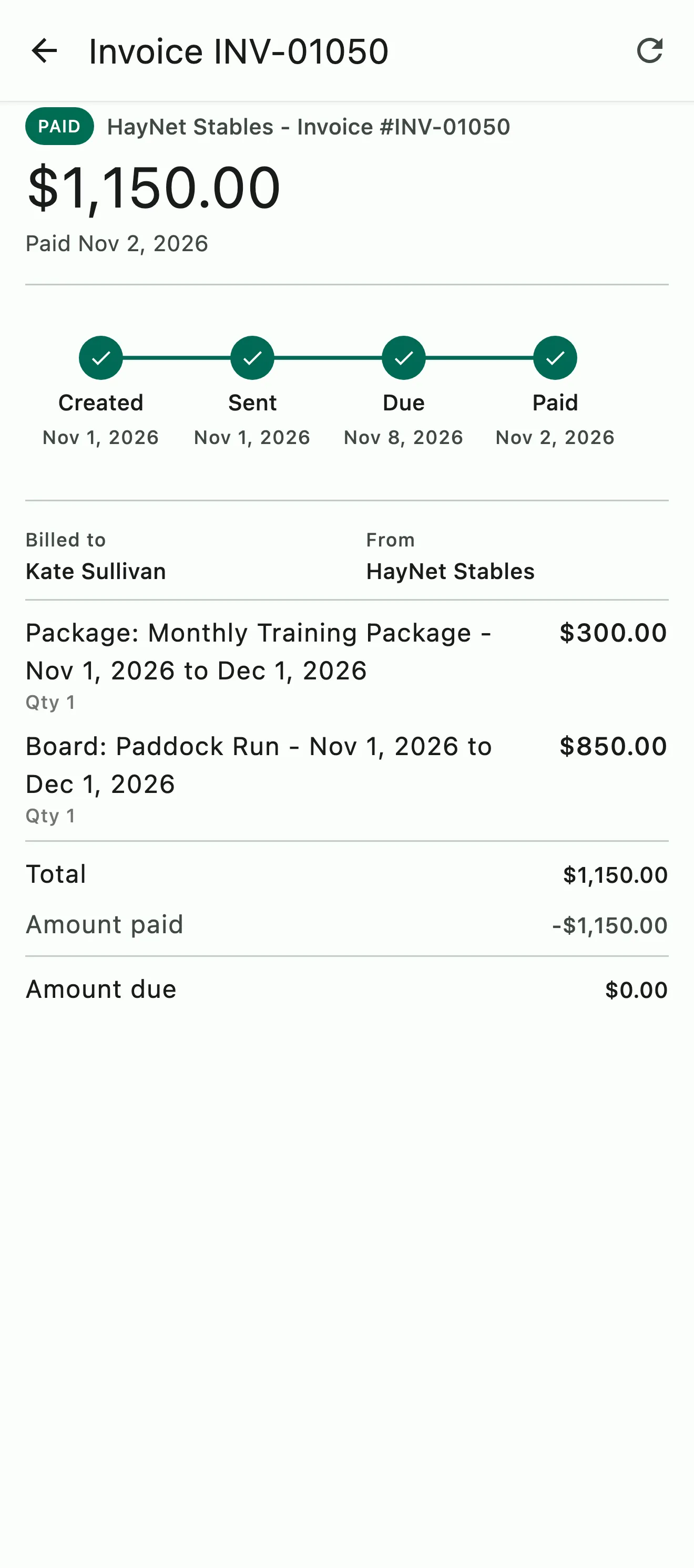
A paid invoice with a monthly training package and paddock run board on separate lines for the same billing cycle

Catalog and renewals

Requested in the catalog, renewed on the invoice

Publish packages in your barn's catalog alongside board and other subscriptions, so clients can see what you offer and request a package themselves. Once you approve the request, the package renews with each billing cycle, generates a fresh set of credits, and is added to the client's invoice with their board and other charges.

  • Clients browse and request packages in your catalog
  • Renews with the billing cycle
  • Add to their regular invoice or create a new cycle

Common questions

About Prepaid Packages

How does the prepaid package tracking system work?

Each Prepaid Package is a subscription that gives the client a set of credits, called tokens, of a type you choose, like Private Lesson or Training Ride, with a fresh set every billing cycle. You're paid before the lessons happen, and each Event Product says which token types it accepts.

When a client books one of those events, a credit is set aside as Pending, and once the event finalizes it shows as Used. On the invoice, a used credit is a zero-dollar line with the event name, date and time.

Credits can expire after a period you set or never expire, and you can add or revoke them manually. You and your clients can check balances in the app at any time, with nothing to track on paper.

What happens when a client runs out of tokens?

They can still book and ride. When a client has no valid credits for the Event Product they're booking, the booking is billed at that service's standard price on their next invoice instead of using a credit, so nobody misses a ride and you still get paid.

Letting clients top up with more credits without buying a new package is on the roadmap.

Can I accept more than one token type for an event?

Yes. On the Event Product, turn on Allow pay with prepaid credits/tokens and pick every type it should take in Credit Token Types. A Semi-Private Lesson could accept Private Lesson and Semi-Private Lesson credits, for example, so packages that have always been interchangeable at your barn stay that way.

Change the accepted types whenever you like under Manage › Event Products.

Which credit is used first when a client has more than one?

The one expiring soonest. When two expire on the same day, the token type listed higher on the Event Product goes first. With Family Token Sharing, a rider's own credits are used before the family's.

Can I create my own custom Token Types?

Yes. HayNet starts your barn with a few common types, Private Lesson, Group Lesson and Training Ride, and you can add as many of your own as you need. Go to Manage › Manage Tokens, open the Token Types tab and tap the + button, or create one on the spot while setting up a Prepaid Package or an Event Product.

Archive a type you no longer use. The list shows which packages and events still use each type, so you know before you archive it.

Can a single package be used across a family?

Yes. With Family Token Sharing, a package one family member buys can be used by every linked rider in the household. It's on by default for the barn, every event and every family, so there's nothing to set up, and a rider's own credits are used before the family's.

Every shared credit shows whose it was and whose booking used it, on the booking summary, in the barn's and the family's token managers, and on the invoice. Families link their accounts under Account & Billing › Family Account.

See the full FAQ

Start guaranteeing up-front revenue.

No card required. Available on Apple iOS, Android and Web.