Smart Scheduling

The schedule is the heart of HayNet. Every lesson, training ride and barn activity flows from it: billing, records and tacking lists all operate outward from what you schedule.

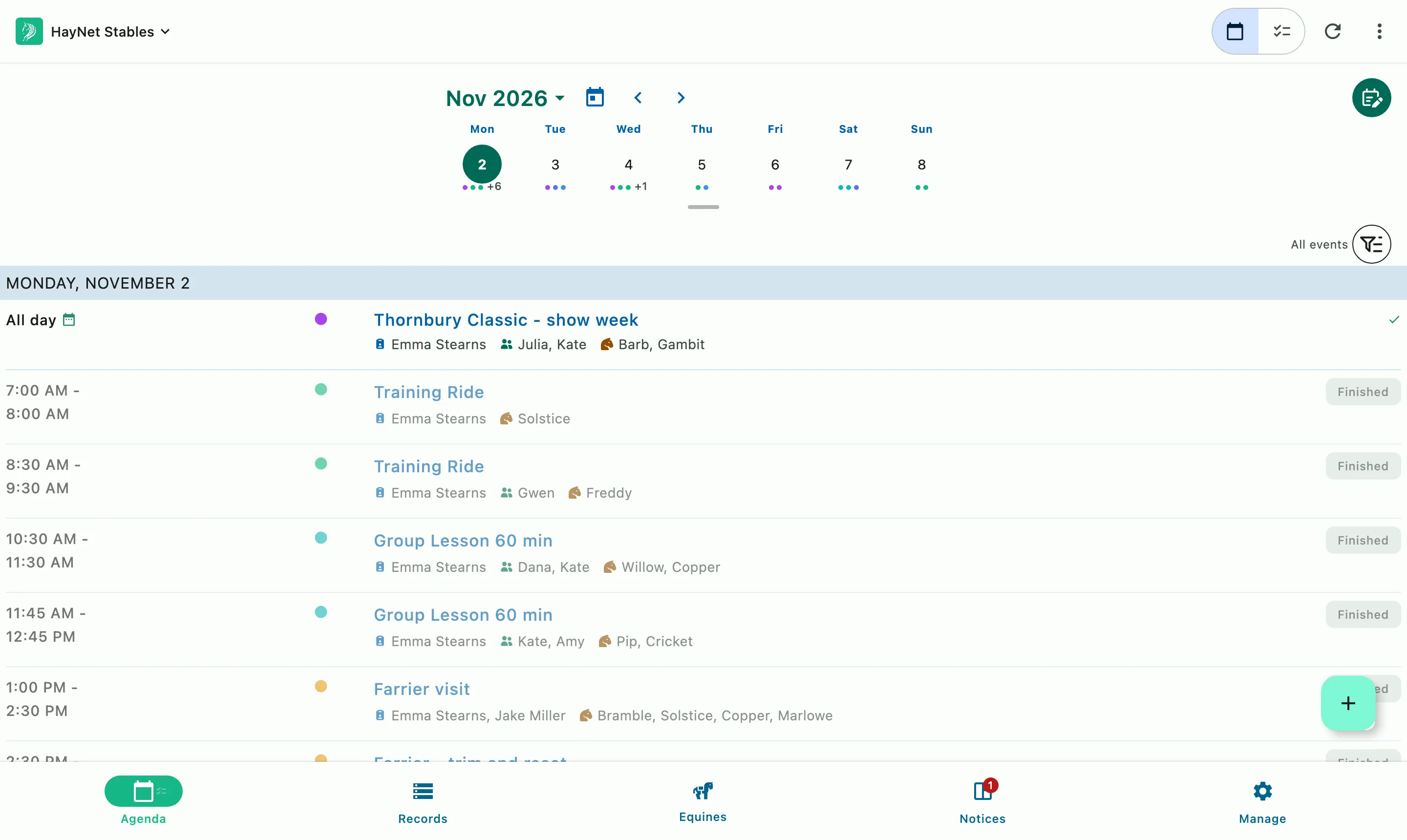
The day's agenda: the show week across the top, then each ride and lesson in order with its people and horses

Event Products

Your services, your rules, booked by your clients

Define it once

An Event Product carries the price, the add-on fees, the booking window, the group size and the trainer requirement. Private lessons, group lessons, training rides, etc.

Let clients book within your rules

When you allow it, clients pick a slot from the app. HayNet checks trainer availability and group limits before it confirms. Booking requests appear on the Agenda with inline accept and decline.

Or keep it managed by staff

Admins, managers and trainers can book on a client's behalf or disable clients' ability to book altogether.

School horse fees, groom fees, and custom add-ons are part of the Event Product too.

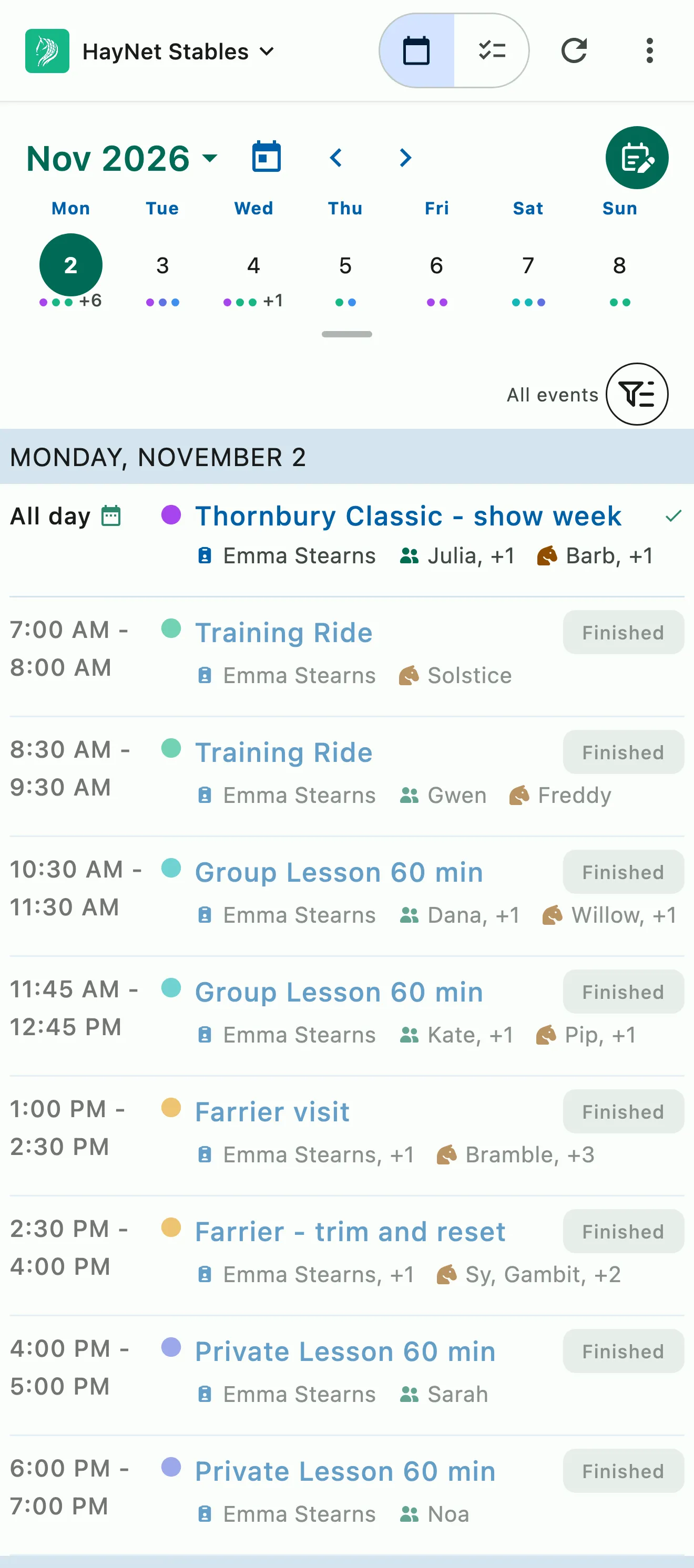
The HayNet agenda: the week across the top, then the day's show week, rides, and lessons

The Agenda

The whole barn on the same page

No more group texts or a photo of the whiteboard to find out who's riding when. The Agenda lays out the day's lessons and training rides in order, and it updates the moment anything changes. Trainers see their rides, staff see what's coming up, and clients see their own lessons.

  • Each person sees the day that matters to them
  • Every change shows up for everyone, right away
  • Trainer, client, horse, and arena on every booking
  • Filter to one trainer, Groom View, or client
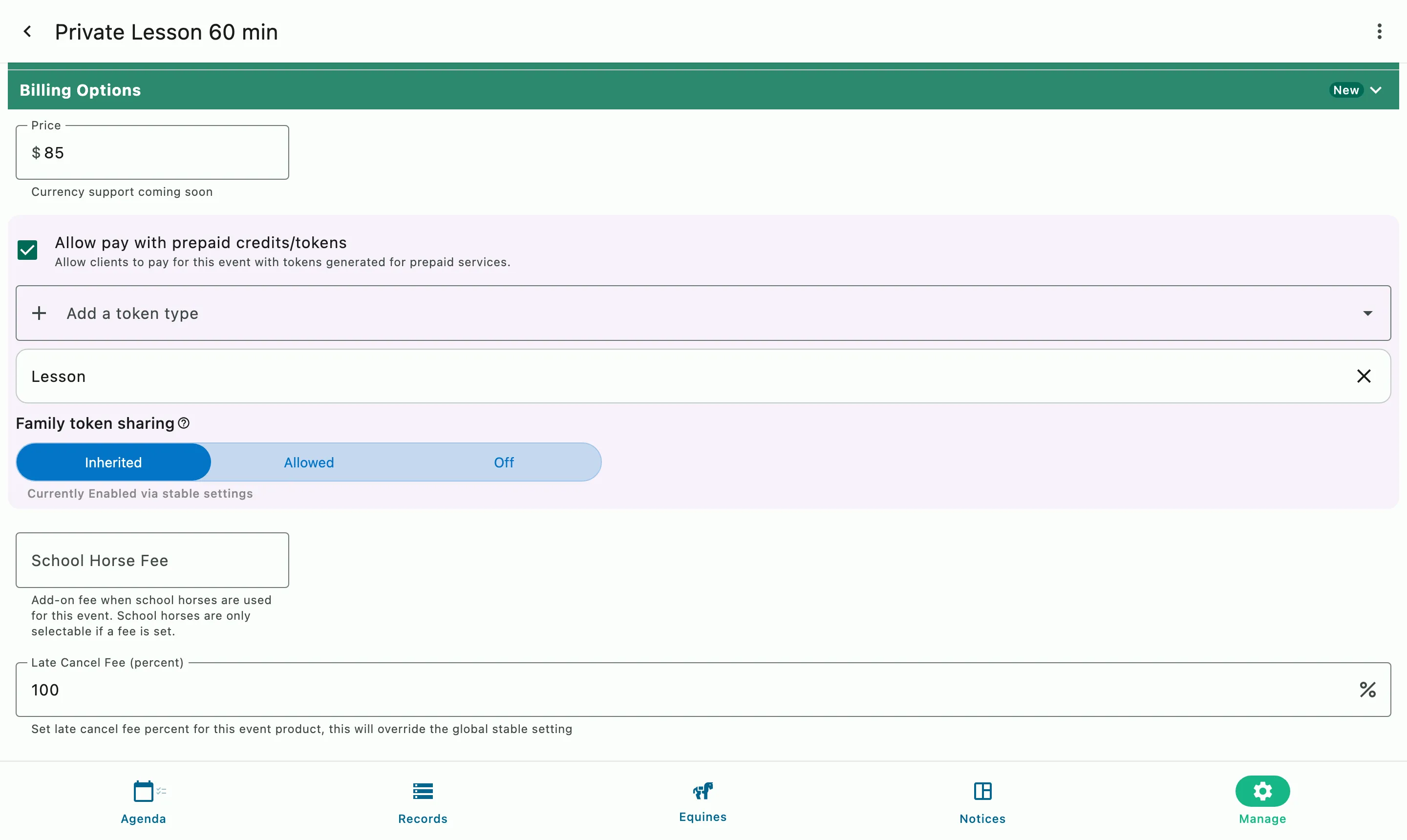
A private lesson's Event Product: its price, the prepaid token it accepts, and a late cancel fee that overrides the barn's setting

Booking, rescheduling, cancellation

Set the policy once. HayNet enforces it.

Booking windows by day and time, rescheduling cutoffs, and late cancellation fees that apply themselves. Clients see the policy and confirm before they book.

  • Organization-level defaults and per Event Product overrides
  • Late cancellation fee warnings at booking
  • Booking charges and fees flow to the invoice automatically
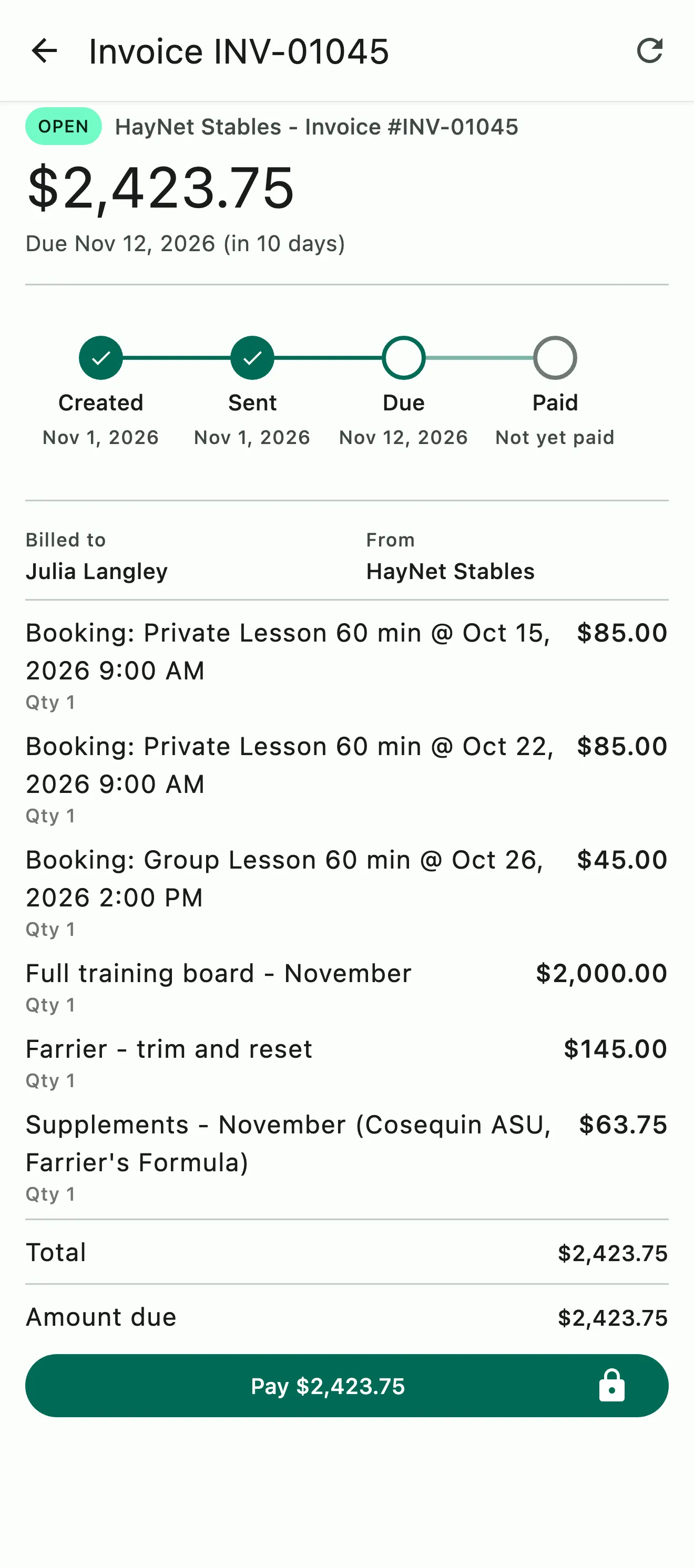
An invoice with each lesson booking on its own line, plus board, farrier work, and supplements
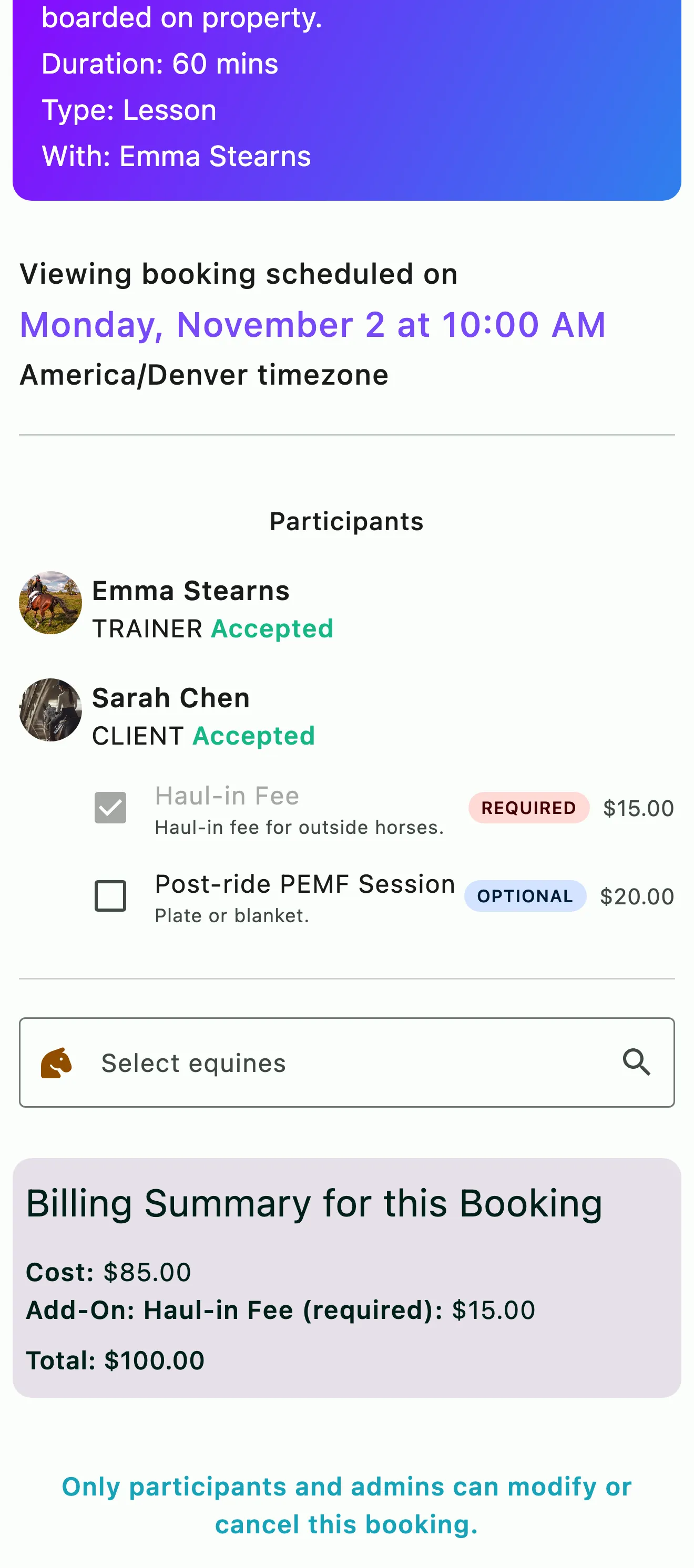
A client booking a private lesson, with the required haul-in fee already added and an optional add-on still to choose

Fees and add-ons

The fees add themselves to the invoice

Each service's fees live on its Event Product, so nobody has to remember them when it's time to bill. When the event is finalized, booking fees and add-ons are added to the client's invoice. Optional add-ons go on the invoice when the rider chooses the option at booking. Required add-ons charge on every booking. Late cancellation fees follow your booking rules.

  • Every fee on its own named invoice line
  • Added as each event finalizes, then sent at the end of the billing cycle
  • Add-ons automatically captured and never forgotten
  • Special functionality for adding school-horse fees and ad-hoc pre/post groom service
  • Never forget to bill for something you actually did
More on Billing & Invoicing
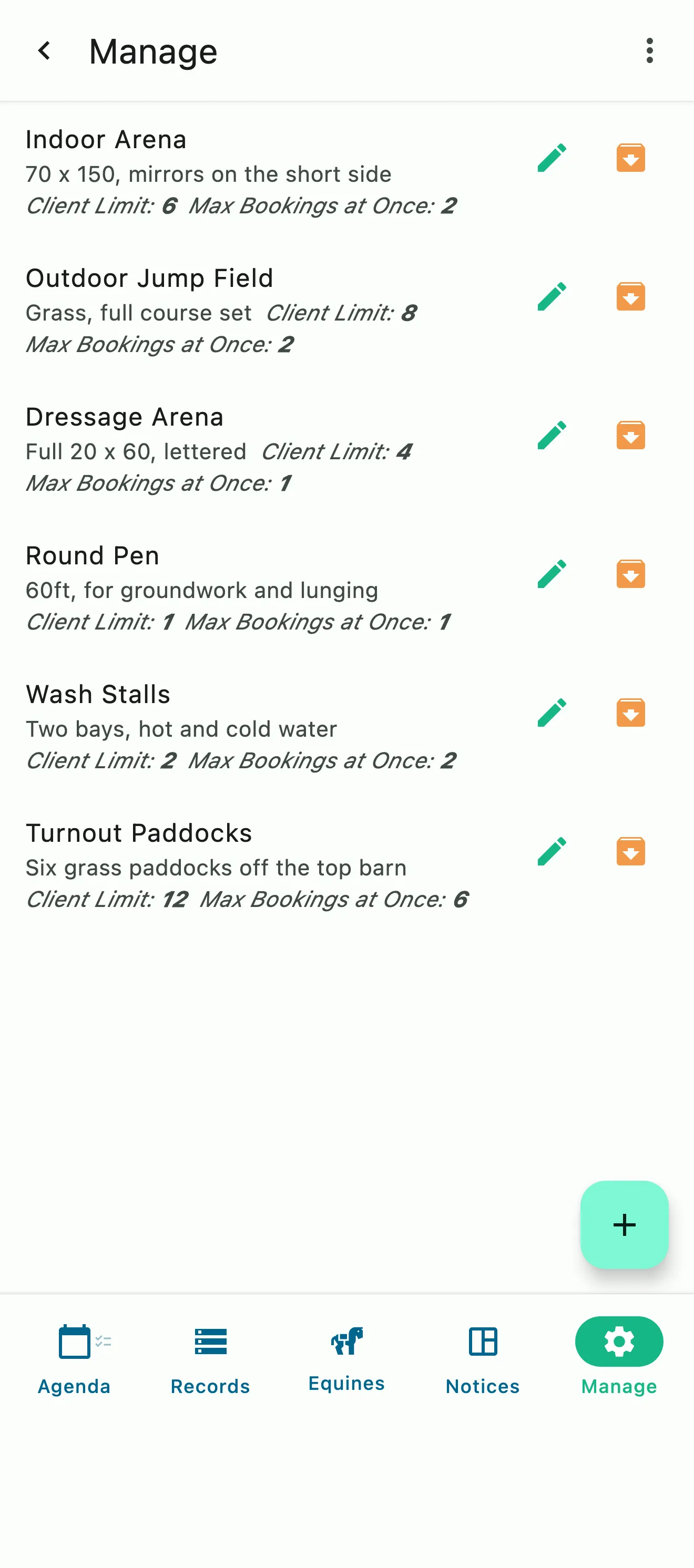
Arenas, a round pen, wash stalls, and paddocks, each with its client limit and how many bookings it takes at once

Arenas and conflicts

You always know when the arena is full

Every arena, round pen and any other defined location resource can carry a concurrent-booking limit and a rider limit. HayNet assigns a resource at booking, flags an overbooked space instead of hard-blocking it, and leaves the judgment call to you.

  • Client and concurrent limits per resource
  • Automatic assignment with fallback
  • Admin override when you need to
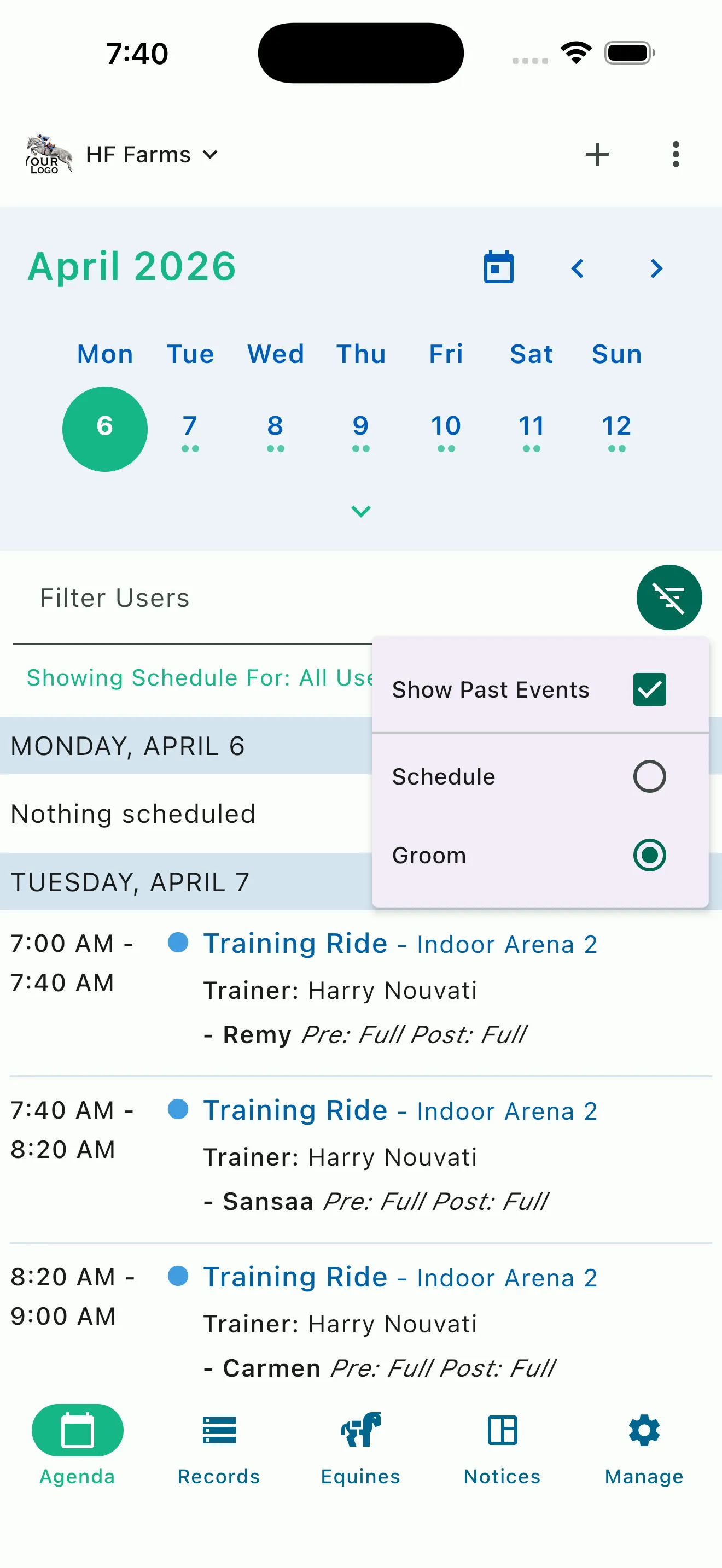
An auto-generated groom and tacking list

Groom and tacking lists

The list writes itself from the schedule

The day's groom and tacking list builds itself from training rides and any booking marked for tacking, with pre-tack and post-tack status. Grooms see only what they need so that every horse is ready to go, on schedule.

  • Generated from Training Ride events and events marked with tacking services needed
  • All staff roles can toggle Groom View on the agenda
  • Set the Event Template to allow clients to opt in to ad-hoc pre and post tacking with optional charges, when they book
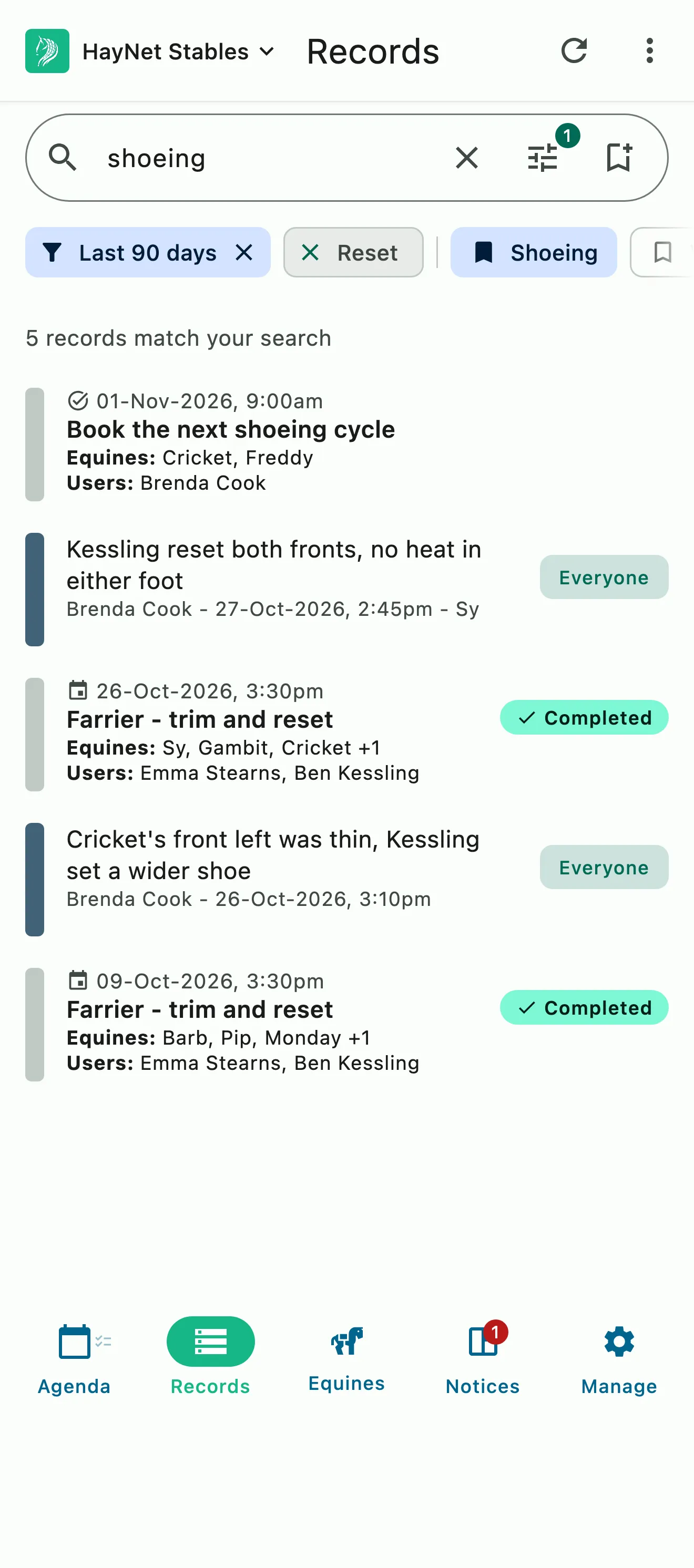
A saved shoeing search applied to records: completed farrier visits, their notes, and the task to book the next round

Historical records

Every event and task on the schedule becomes a record

Anything on your calendar and in your tasks becomes searchable record. The barn builds a complete record of event history without doing a single extra thing.

  • Created from the schedule, with no manual entry
  • Search by date, horse, person, event type or keyword
  • Effortlessly create timelines for every horse and client
More on Effortless Records & System Search

Common questions

About scheduling

How do I set up a bookable event for my clients?

Create an Event Product, the template for a bookable event. Go to Manage › Event Products, add one, set its bookable start times and booking window, and turn on Allow client to schedule.

The Event Product also holds the group size, the trainer options, the price or the token types it accepts, and whether clients can reschedule or cancel. Once you turn on Publish this event and save it, clients see the open times in the app and book them themselves.

I have lesson horses with per-use fees. How do I configure this?

Set a school horse fee on the Event Product. Go to Manage › Event Products, open the lesson, and enter the amount in School Horse Fee.

HayNet then applies the school horse fee automatically to applicable events, as its own line on the invoice on top of the lesson price, so you never forget to collect for your lesson horses.

Can I set up no-show and late cancellation policies?

Yes, and HayNet applies them for you. Set your barn's Late Cancel Fee, a percentage of the service price, under Manage › Finances › Billing settings. Then, on each Event Product, turn on Allow client to cancel and Allow client to reschedule, set the notice you need in Min cancel before and Min reschedule before, and use Late Cancel Fee (percent) where one service needs a different fee.

Clients see the policy when they book. If they cancel inside the window, they're shown the fee and confirm before it's charged; with no fee set, they can't cancel that late and contact you instead. And when lessons are sold as Prepaid Packages, a missed lesson is already paid for.

What happens when an arena is fully booked?

HayNet moves on to the next space. Clients don't choose an arena: HayNet assigns one at booking from the resources on the Event Product, in the order you list them, and when one is full it tries the next. If every space is full, the client can still book, and HayNet marks the booking overbooked instead of turning it away.

Users with elevated access roles can also overbook a space on purpose, even when others are open, and HayNet marks it overbooked. A booking in an overbooked space, or with no space assigned, shows a location picker on the Agenda for its trainer and your managers, so the right person decides whether to move it, reschedule it or leave it as it is.

Can I book an event for a client?

Yes. Users with elevated access roles, such as trainers, managers and admins, can book on behalf of any client. On the Agenda tab, tap the + button, choose Schedule Event, pick the Event Product and the time, and add the client under Participants.

Staff bookings aren't held to the rules you set for client self-booking, so you can book a service clients can't book themselves and build the week's agenda from the office.

How does an event get billed to my clients?

Automatically, from the Event Product. The price and add-ons you set on the Event Product are added to the client's invoice once the event finalizes, about 48 hours after it ends, with each fee on its own line. Invoices go out at the end of each billing cycle. A booking paid with a prepaid package credit shows as a zero-dollar line and indicates which credit type was used, though its add-ons are still charged, and late cancellation fees follow your booking rules.

See the full FAQ

Put tomorrow's lessons in the app tonight.

No card required. Available on Apple iOS, Android and Web.