Effortless Records & System Search

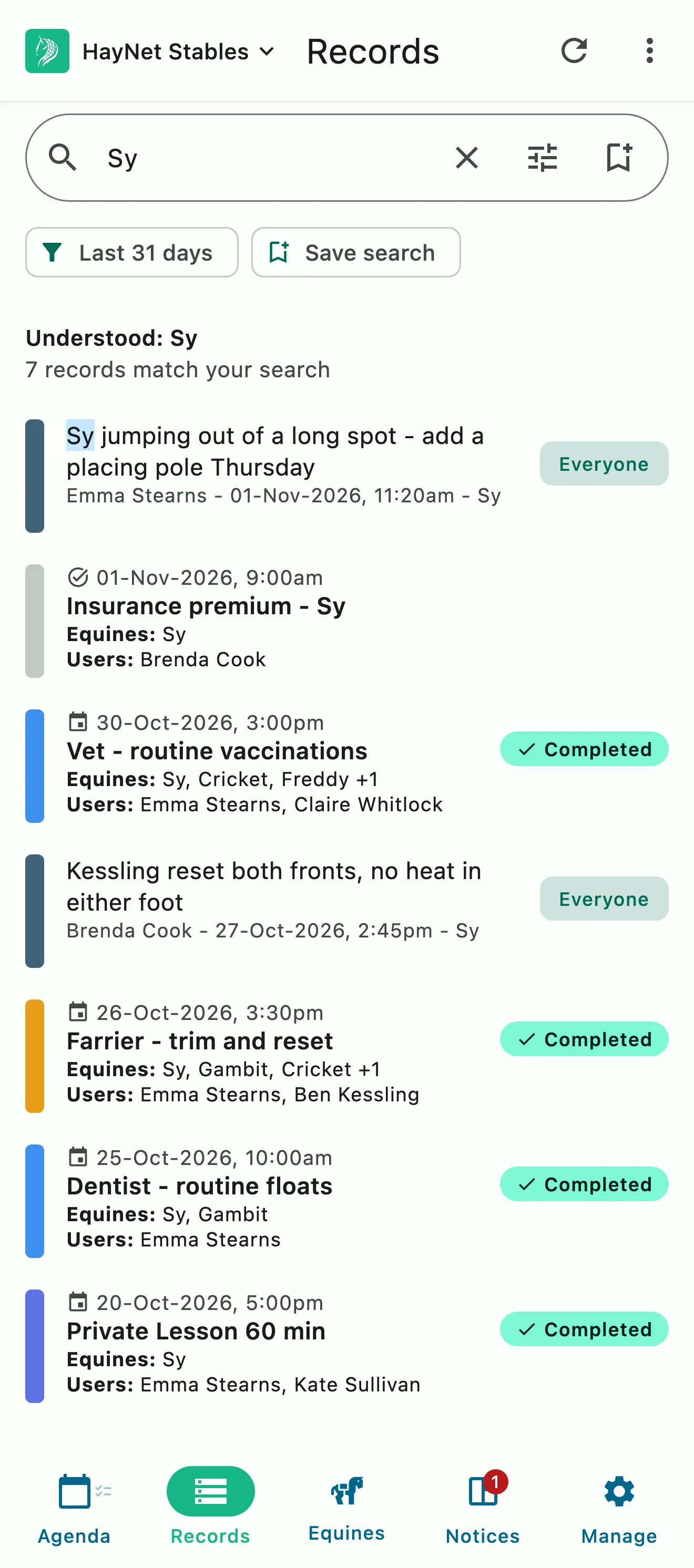
Every event on the schedule and every completed task becomes a record on its own, so nothing is entered twice. System Search finds any of it in seconds.

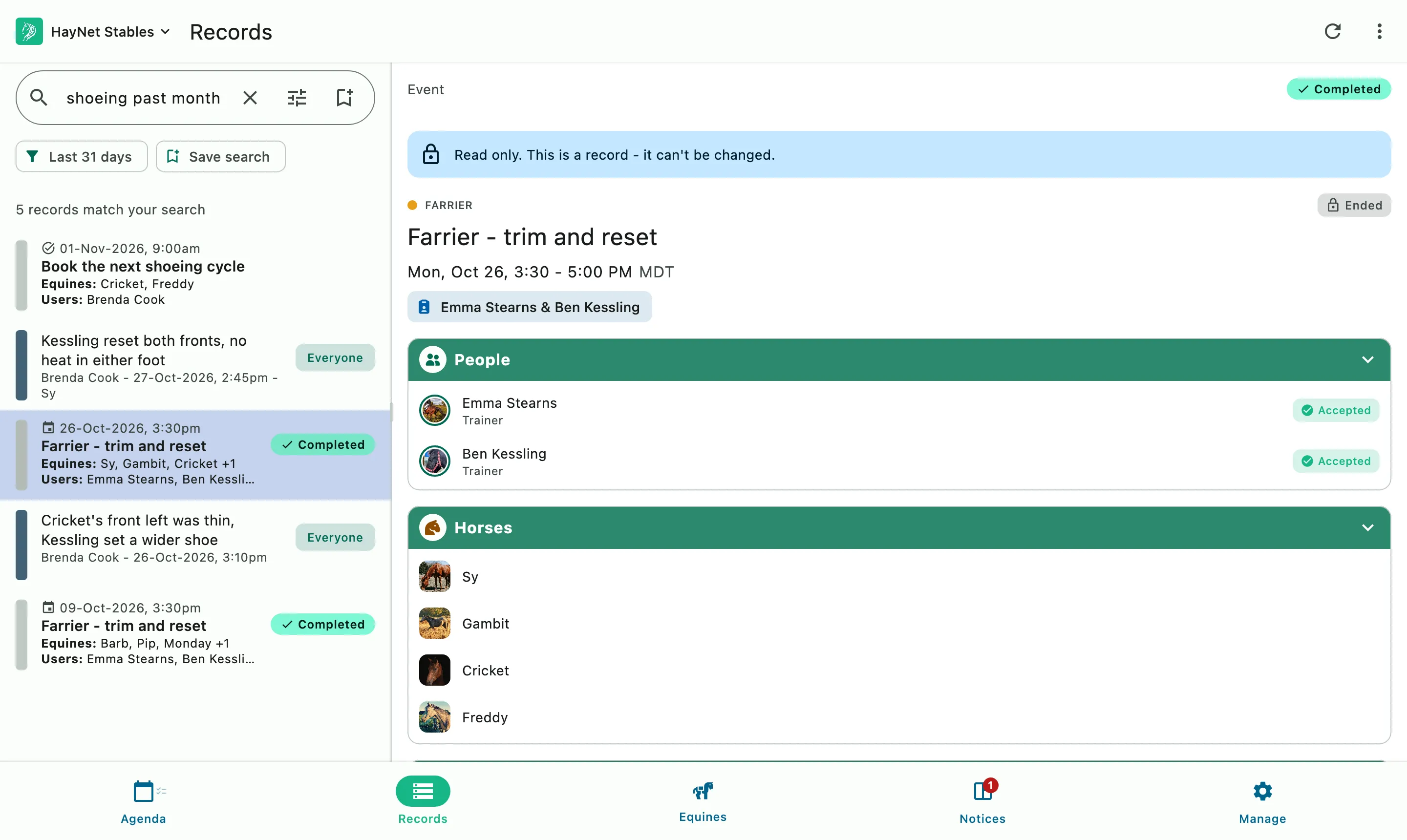
Records search results beside the farrier visit they open, with the people and horses on it

How it works

The record writes itself

Your records come from the work already on your schedule. Once a lesson or a farrier visit is finalized, it becomes a historical record, and nobody has to copy it into a logbook. When you need it again, System Search finds it from a name or a single word.

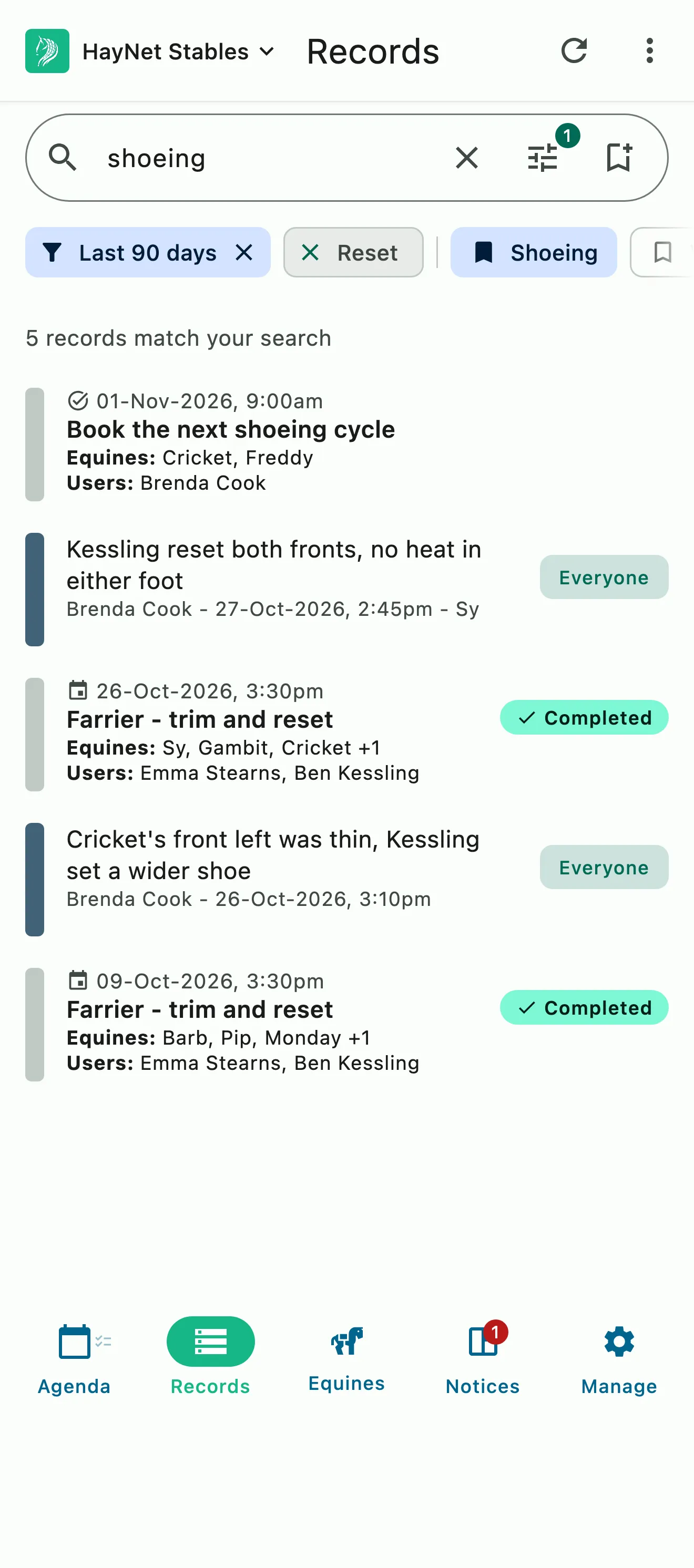
A saved shoeing search applied to records: completed farrier visits, their notes, and the task to book the next round

Records from the schedule and tasks

No data entry, no second notebook

When an event is completed and finalized, about 48 hours later, it becomes a historical record on its own, custom events included. Completed tasks join it the same way. Missed something on the calendar? Add a custom event or task for it and the record follows.

  • Events become records about 48 hours after they finish
  • Completed tasks become records too
  • Custom events and tasks for anything that happened off the calendar
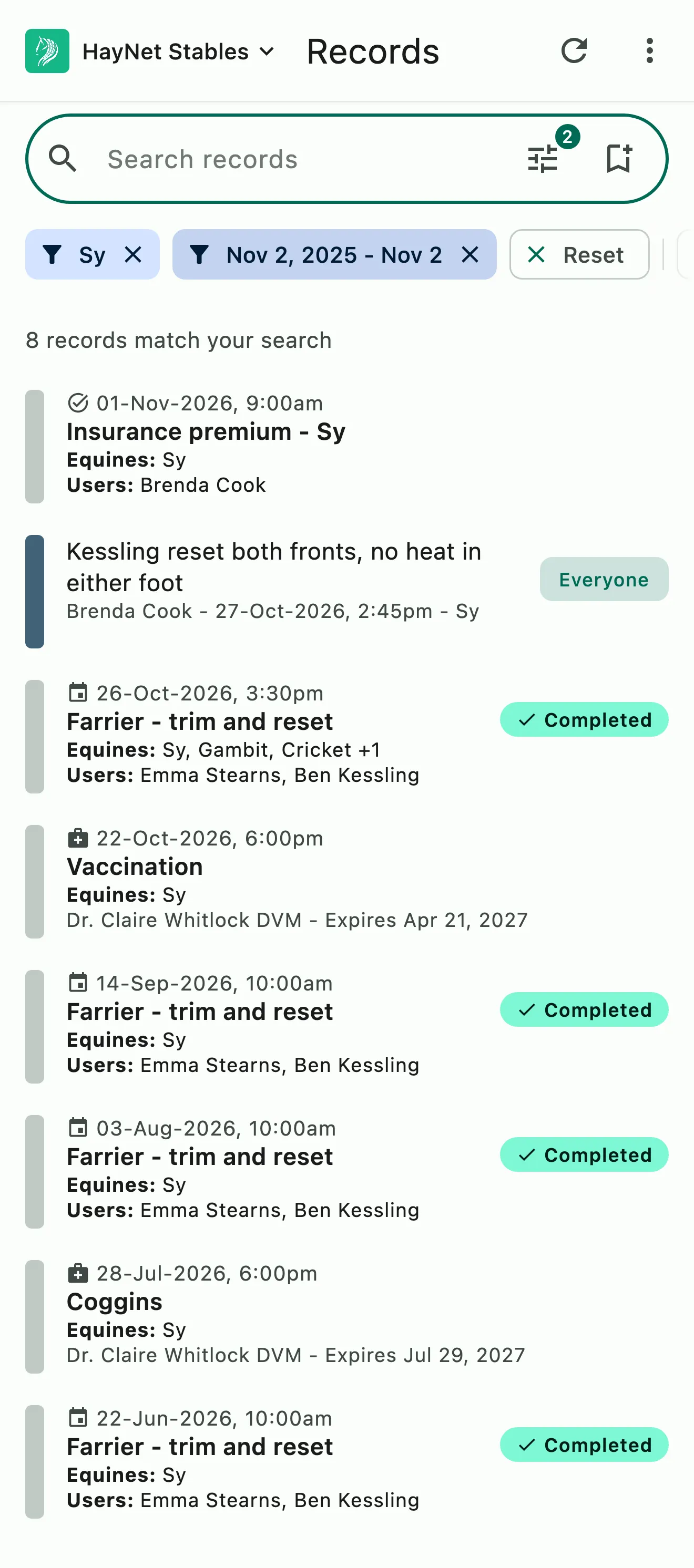
One horse's records from the past year, newest first: farrier visits, a note, a vaccination, a Coggins, and an insurance premium task
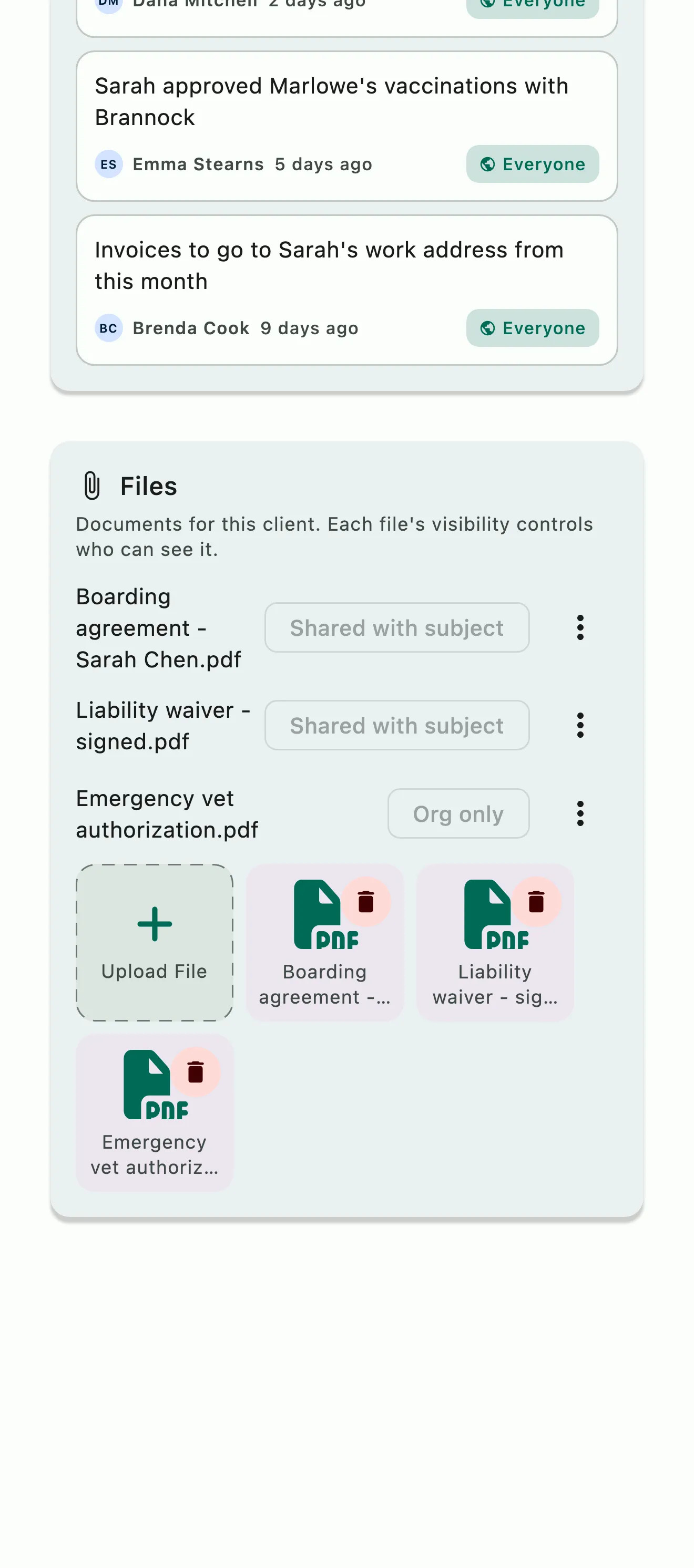
A client's Files card with a boarding agreement, a signed liability waiver, and an emergency vet authorization, each marked with who can see it

Timelines and files

The history of every horse and rider, in order

Records line up as timelines by horse, by rider and by date, so the last farrier visit or a rider's progress is a scroll away. Keep files with them: Coggins, health certificates and vaccination records on the horse; contracts and signed waivers on the client.

  • Timelines by horse, rider and date
  • Coggins and health certificates on the horse
  • Contracts and waivers on the client

Common questions

About records and search

How do I add records?

You don't need to. Every event on your schedule becomes a historical record on its own once it's completed and finalized, about 48 hours after it ends, custom events included. Completed tasks become records too, so nothing is entered twice.

If something happened that never made it onto the calendar, add a custom event or completed task for it and the record follows. It all lives on the Records tab, where System Search finds it in seconds.

What does System Search search?

System Search looks through your horses and clients, events, tasks and notes, and returns every relevant result in seconds. It's the search at the top of the Records tab: type a horse's or a client's name, or a few words, and the matching records come back.

Tap a horse's or a person's avatar for the essentials without leaving the screen you're on.

Can I upload Coggins files, health certificates, and other records for horses?

Yes. Each horse's profile has a Health records section for Coggins tests, rabies and other vaccinations, health certificates and any other record, each with its date, expiry, vet or provider, notes and the files themselves. HayNet can also create a renewal task ahead of a record's expiry, so a renewal reminder goes out before the next Coggins lapses.

The profile has its own Files section for x-rays and other documents, and each registry entry takes its own files, like registration papers and show records.

Can I upload contracts, liability waivers, and other files for clients?

Yes. Each client has a Files section for contracts, signed liability waivers, emergency contact forms and any other documents. Go to Manage › Manage Users, open the client, and add them under Files.

Every file has its own visibility setting, so you decide who sees it. Files you upload about a client start out visible to your admins and managers only.

See the full FAQ

Stop entering the same day twice.

No card required. Available on Apple iOS, Android and Web.